
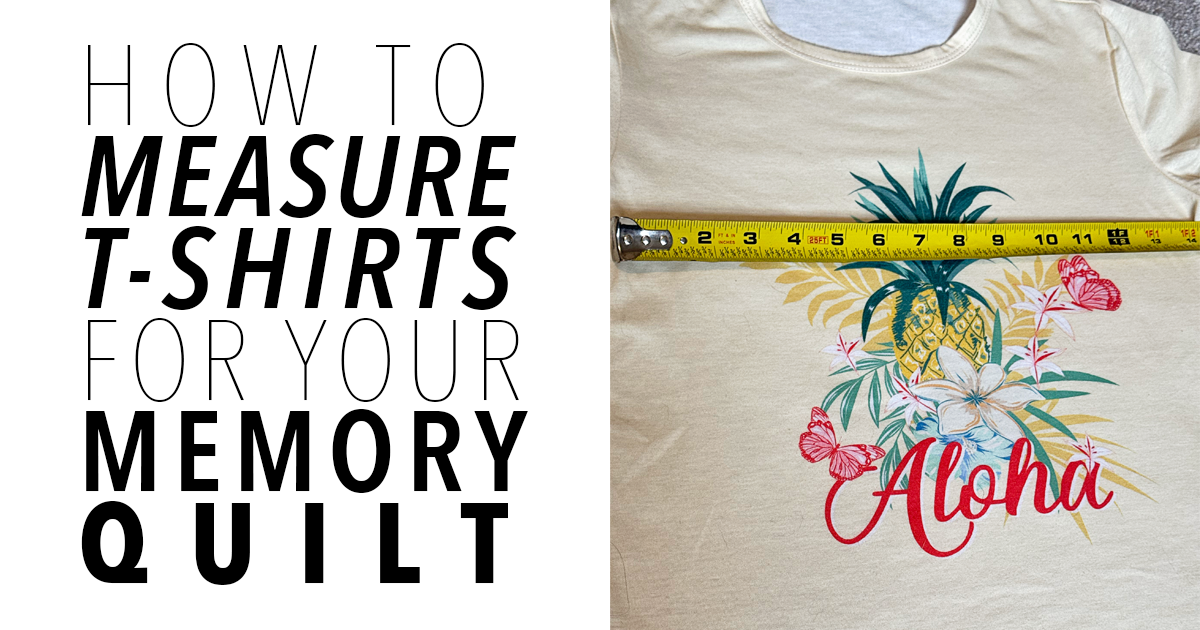
I have been making t-shirt quilts for the last 16 years. Even after all this time, figuring out the exact measurements for each quilt is still super tricky!
If you want to learn how to make a memory quilt from old t-shirts, start with my T-Shirt Quilting Tutorial. This post builds on that guide and gives more details on how to measure your shirts in order to prepare to plan their layout in a quilt.

Supplies you’ll need:
- Ruler
- You can use any ruler, honestly. You can even use a tape measure if that’s what you have. However, I prefer an acrylic ruler that can be used with my rotary cutter at least 15 inches wide. This one is a great one to use!
- Pencil
- Somewhere to write your measurements
- I’ve created a super quick and easy printable sheet to help document your shirt measurements. You can grab that here!
First, make a decision on how big you want your quilt to end up.

This isn’t an exact rule for your quilt’s final size. You can easily add or subtract a few inches based on the measurements of your shirts.
Next, measure all logos that you would like to include in your quilt.
Many t-shirts have logos on both the front and back. Just because a shirt has more than one logo doesn’t mean you need to use them all. Choose the logos you want to include in your quilt.
For each t-shirt logo, you’re going to measure:
- The minimum width and height:
- I like to leave one inch of space around the logo on all sides. For example, if a logo is 10 inches wide, I’ll write down the minimum width as 12 inches. This gives me enough room for a seam allowance.
- The maximum width and height:
- The maximum width and height really depend on the t-shirt.
- For the maximum width, I usually stop measuring at the sleeve seams. In a pinch, you could make it wider, but I try to avoid seams whenever possible because they make everything harder to work with.
- For the maximum height, I use the collar as my guide. I measure the distance from the top of the logo to the collar, then add that same amount to the bottom of the logo.
You don’t have to keep the logo perfectly centered. You can add more inches to the bottom than the top if needed. I prefer centered images, but adding extra space at the bottom is a great way to make your quilt measurements work.or the maximum width and height, it really depends on the t-shirt.
- The maximum width and height really depend on the t-shirt.
Here are a couple of examples of how I find my measurements:
Note: I used a tape measure for the photos because my acrylic rotary ruler is see-through and made the numbers hard to see. I also typed out my measurements so they would be easier to show online. Normally, I just write everything down with a pencil!
Minimum Logo Height

As you can see, I measured one inch above and one inch below the logo. This gives me enough room for a seam allowance without cutting into the design. Sometimes sewing into a logo can’t be avoided, but I try to avoid it whenever possible.
Minimum Logo Width

This measurement works the same way as the minimum height. Measure one inch outside the logo to give yourself enough space for a seam allowance without cutting into the design.
Maximum Logo Height

For the maximum logo measurement, I usually start just below the collar. I don’t like including the collar in my measurements, but you’re welcome to if you prefer. I find that sewing the collar into the quilt can make it feel bulky.
Next, I measure the distance from the top of the logo to the bottom of the collar. Then I add that same number of inches to the bottom of the logo.
For example, if there are 2 inches from the top of the logo to the collar, and the bottom of the logo falls at the 12-inch mark on my ruler, I add 2 more inches. That makes the maximum height 14 inches. I do this because I like my logos to be as centered as possible.
Maximum Logo Width

For the maximum width, I start measuring at the closest sleeve seam. I avoid including the sleeve seam because it can make accurate cutting more difficult.
In this example, there are about 2 inches from the left side of the image to the sleeve seam. The right side of the image ends at 12 inches on the ruler, so I add those same 2 inches to the right side. That gives me a maximum width of 14 inches.
Write down each measurement for all of the logos that you are using in your quilt. Next you’ll plan your layout – be sure to check out that post for more information on how to do that. You can also head back to my T-Shirt Quilting Tutorial for
Other T-Shirt Quilt Posts related to this one:
- How to Make a T-Shirt Quilt
- How to Plan Your T-Shirt Quilt Layout
