
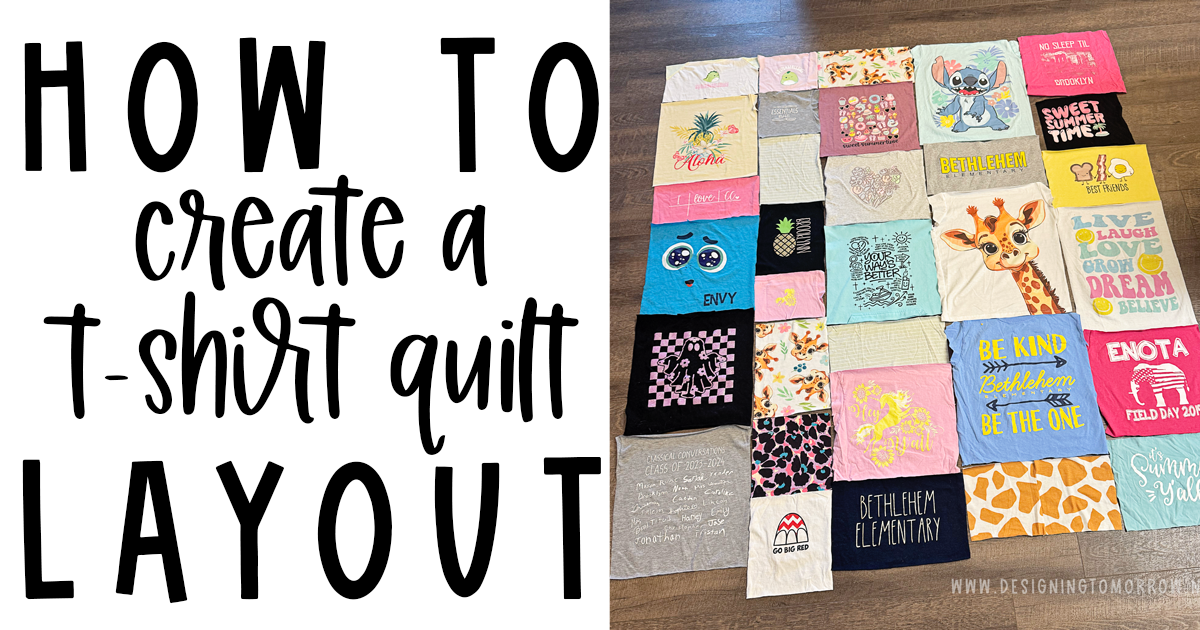
If you’re ready to plan the layout for your t-shirt quilt, you’re in the right place! By now, you’ve chosen your shirts, decided on a quilt size, and measured each t-shirt. If you feel like you missed a step, check out the posts below—they walk through the earlier stages of making a t-shirt quilt.
Related T-Shirt Quilt Posts:
Suggested Supplies for planning your t-shirt quilt:
- Ruler
- You can use any ruler, honestly. You can even use a tape measure if that’s what you have. However, I prefer an acrylic ruler that can be used with my rotary cutter at least 15 inches wide. This one is a great one to use!
- Grid Paper – I like using the grid paper that has tiny squares because it allows me to get more of my layout on one page. I also love that this grid paper has darker lines for every 10 squares. That makes measuring out easier without having to count every individual square.
- Highlighter – I love these mildliners
- Pencil
- Somewhere to write your measurements
- I’ve created a super quick and easy printable sheet to help document your shirt measurements. You can grab that here!
- Optional:
- Sharpie (to make it easier to see on your grid paper)
For this tutorial, I will be using a t-shirt quilt that I’m currently making for my daughter as an example. This quilt won’t have any sashing between the t-shirts. Honestly, the quilt size we originally wanted was way too small for the number of shirts we had—but that’s part of the beauty of designing your own quilt. You can always adjust elements to make it work for you.
It’s also important to remember that just because I designed my quilt this way doesn’t mean you have to do the same. Use your creative freedom to make it exactly how you want it. If you want mismatched block sizes—do it. If you want all your rows to be the same height instead of your columns—do it. The combinations and possibilities are truly endless. This process can be altered to work for any type of quilt design.

Step 1: Decide the dimensions of your desired quilt.
My daughter wanted something a little bigger than a throw but not quite a twin for her quilt. My rough target size was about 60 x 70 inches.
It’s very important to remember that your quilt size just needs to be in the general range of what you want the finished quilt to be. Small changes in measurements are completely normal—and totally okay.
Most likely, this quilt is for you or someone you know and love. It’s very unlikely anyone will pull out a tape measure to check whether your quilt is the “correct” size.

Step 2: Analyze your measurements
For my quilt, I started by reviewing the measurements I wrote down during the early planning stages. If you’d like to see how I did that, you can check out this blog post. From there, I grouped my images into three basic categories based on how large or small each image needed to be cut.
Most of my shirts worked well at 12 inches wide, so those images are left white on my chart. I did have a few outliers that were either too large or too small to fit into a 12-inch-wide block.
The pink lines represent much smaller images—mostly pocket-sized logos or logos from shorts. After comparing the minimum and maximum widths, I decided that 7 inches wide would work for all of the smaller images.
The blue lines represent very large images. For those, I determined that 14 inches wide would allow me to include the full logo or design without cutting anything off.
Hopefully that makes sense! This is a step I go through with every quilt I make, whether I’m using quilting software or not. I never want to cut through an image, and I also prefer to keep each design as centered as possible.
Step 3: Decide if you’re going to have sashing around your shirts
For this quilt, we decided not to use sashing. We wanted a smaller quilt, but as you can see above, we simply had too many t-shirts to add sashing and still keep the quilt within our desired size range.
If you’re making a quilt for a family member, friend, or client who really wants sashing—but adding it would make the quilt too large—I recommend asking them to remove a few of the shirts from their selection.
Luckily for us, we were perfectly happy skipping the sashing on this one!
Step 4: Measure out the width of your t-shirt quilt based on your initial measurements
Hang with me on this one – explaining this with written words is not for the faint of heart.
I’m working in columns for this – it’s just what made sense in my head for how I wanted the design to turn out.
So I have 3 basic categories of widths – 7 inches, 14 inches, and 12 inches. I have plenty of 12 inch logos. Therefore, working from left to right, I’m going to make my layout go: 12 inches, 7 inches, 12 inches, 14 inches, 12 inches.
So 5 columns of images. The height of each image will vary based on the space I have in that column. (We’ll get to that).
12 + 7 + 12 + 14 + 12 = 57 inches wide
That’s how wide my quilt would be without any border at all. However, I thought a nice 4 inch border would look really good around these t-shirts. So I’m going to add 4 inches on each side of my width to determine my final width.
4 + 12 + 7 + 12 + 14 + 12 + 4 = 65
So that brings us pretty close to my initial goal size – perfect!

Step 5: Sketch out the desired size of your quilt onto your graph paper
I suggest using a pencil to do these next few steps. The only reason that I used a permanent marker to make it easier for y’all to see. I promise I used a pencil and erased… a lot. These pictures are probably the 4th or 5th draft I made of this quilt layout. It’s OKAY to erase and it’s OKAY to start over. I promise.
The next step in this process is to sketch out how big you want your quilt to be on your graph paper.
If you use the graph paper I listed above, you should have enough space to make each square = 1 inch. If you’re making a super large quilt, you can tape two pieces of the paper together.
The squares in this graph paper aren’t like the kind that kids use in algebra (is it algebra that uses graph paper? Maybe it’s calculus. I have no idea. Math is not my thing.) – the squares on this paper are tiny. Which make it perfect for sketching out a quilt!
I wanted my quilt to end up being around 60×70 inches. However, when I did my calculations in the previous step, the width came out to 65 inches. Which is totally fine – we’re flexible and adjust!

Step 6: Insert your border into your sketch
You are totally welcome to add your border after you put all of your shirts into your quilt. I just think it’s easier because it give me a really good visual of what my quilt is looking like.

Step 7: Sketch out the basic design you want your quilt to have
As we talked about in step ___, I decided to use a 4 + 12 + 7 + 12 + 14 + 12 + 4 column pattern. For this step, I drew out those lines.
Since I’m working in columns, I felt confident in drawing my vertical lines with permanent marker. If you’re working in rows, you may want to draw your horizontal lines. If you want a design element in the middle of your quilt (like a big sash with a name, etc.), you should go ahead and add that here.

Step 8: Play around with the t-shirt measurements to make the look you envision work
Do this in pencil. You can expect to change things multiple times!
Because we wanted a small quilt – but had FAR too many t-shirts – I went with the minimum height on every single logo for the first draft.
Then, I was able to see how many inches I needed to add or subtract from each column and make adjustments.
Hopefully that is making sense. If you start with the minimum, you can easily add an inch here or there to make it reach the desired height of the quilt.
In my photo above, you can see that I started with a t-shirt that fell into the “12 inch wide” category. I went ahead and counted 6 inches down from the border and drew a line. I labeled it #9 and “6 inches” to tell me which t-shirt I’m working with and the height of that shirt.

Add the remainder of your t-shirts. (starting with the minimum height and then working your way up as you need it)
Be mindful about the color of shirts you’re putting in the columns. You don’t want an entire column of the same color shirt.

This step is totally optional – but, I like to color in my layout to check that my colors are properly dispersed prior to making any cuts on my shirts. If you cut them too soon and make the shirts too small, you’ll have to do a few extra steps to correct your mistake.
As you can see above, I have a few shirts colors that are too close together. However, I couldn’t change some of their widths so I’ll have to rearrange them in the same column to try and spread them out.

Once you’re satisfied with the sizes of your logos and your layout, you can begin cutting. Be sure to add an entire inch to each measurement for your initial cut. You can read more about why you should do that in this post.
Other T-Shirt Quilting Posts related to this one:
